
Markdown Editor
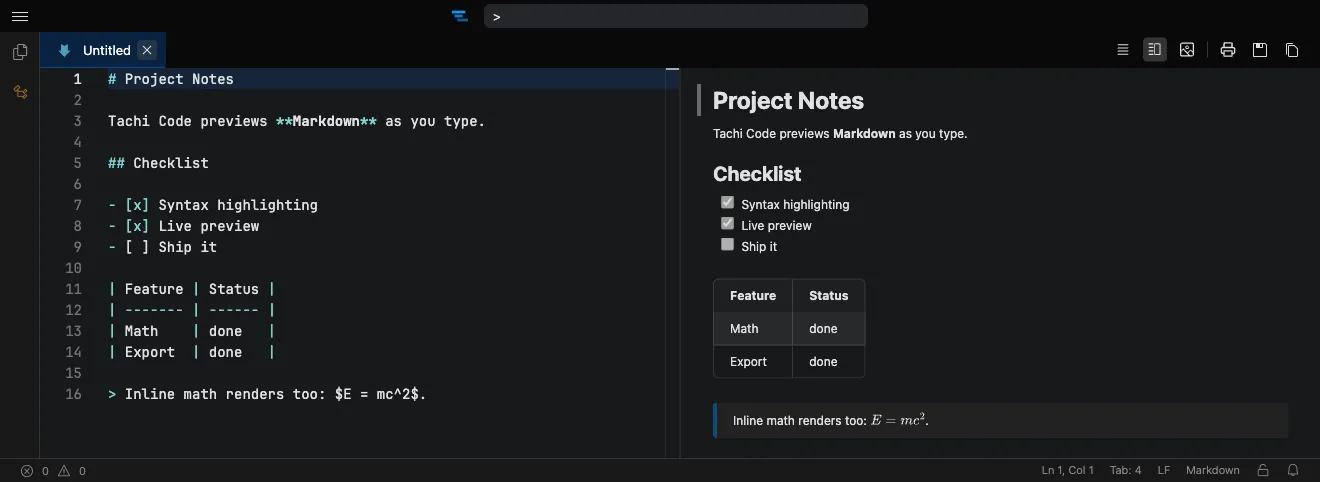
Write and read Markdown in your browser with a live preview beside the editor. Tachi Code renders GitHub-flavored Markdown — with LaTeX math, Mermaid diagrams, and syntax-highlighted code — as you type. No setup, no sign-up.
How it works
Section titled “How it works”- Open the editor at tachicode.dev and start writing Markdown.
- The preview renders live beside your text.
- Switch between split, vertical, or fullscreen preview layouts.
- Export to a print-ready PDF when you’re done.
What you can do
Section titled “What you can do”- Live GitHub-flavored preview as you type.
- LaTeX math and Mermaid diagrams rendered inline.
- Syntax-highlighted code blocks in the preview.
- Export to PDF for sharing or printing.
- Works offline once the extension is installed.
Frequently asked questions
Section titled “Frequently asked questions”Is the Markdown editor free?
Yes. Tachi Code runs free in your browser at tachicode.dev, with no account required.
Does it show a live preview?
Yes — a live, GitHub-flavored preview renders beside the editor as you type, including LaTeX math and Mermaid diagrams.
Can I export to PDF?
Yes — use the Markdown to PDF tool to save a print-ready PDF.
Do I need an account?
No account and no sign-up — just open it and start writing.