
Mermaid Live Editor
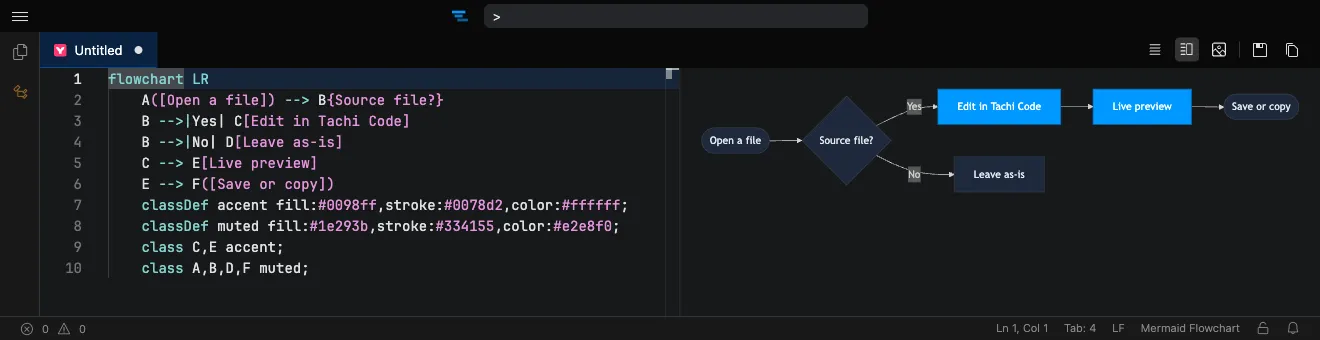
Write Mermaid and watch it render instantly, side by side with your code. Tachi Code is a free, browser-based editor with full Mermaid support — syntax highlighting, live preview, and one-click PNG/SVG export — with nothing to install.
How it works
Section titled “How it works”- Open the editor at tachicode.dev (or add the browser extension).
- Paste or write your Mermaid diagram — the language is detected automatically.
- The diagram renders live in the preview pane as you type.
- Right-click the diagram to download it as PNG or SVG.
What you can do
Section titled “What you can do”- Every diagram type — flowcharts, sequence, class, state, ER, Gantt, mindmaps, Wardley maps, and more.
- Live preview in a side-by-side, vertical, or fullscreen layout.
- Export any diagram to a crisp PNG or scalable SVG.
- Edit Mermaid in Markdown — fenced
mermaidblocks render in the Markdown preview too. - Works offline once the extension is installed.
Frequently asked questions
Section titled “Frequently asked questions”Is the Mermaid editor free?
Yes. Tachi Code runs free in your browser at tachicode.dev, with no account or sign-up required.
Which Mermaid diagram types are supported?
All of them — flowcharts, sequence, class, state, ER, Gantt, mindmaps, Wardley maps, and dozens more, kept current with the latest Mermaid release.
Can I export Mermaid diagrams as images?
Yes. Right-click a rendered diagram in the preview to download it as a crisp PNG or a scalable SVG.
Do I need to install anything?
No. Open the editor on the web, or add the free browser extension to edit .mermaid and .mmd files anywhere.