
SVG Viewer & Editor
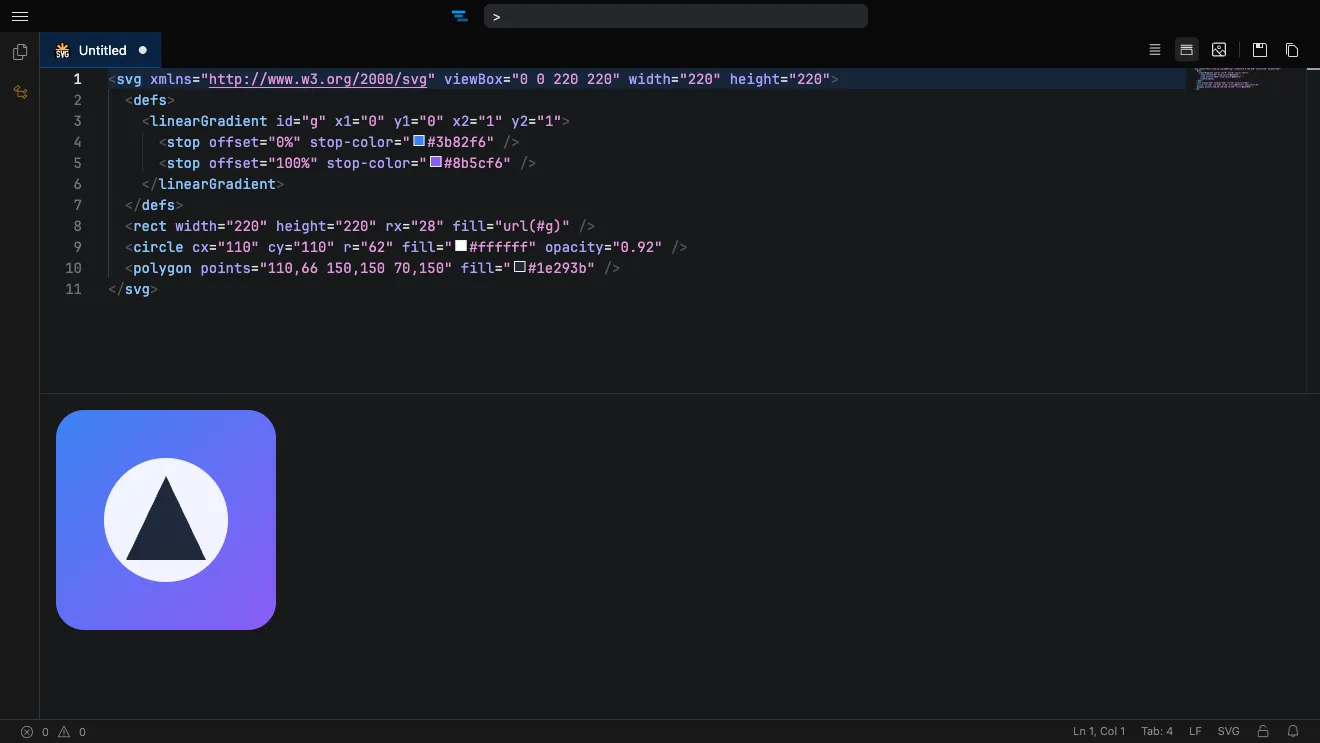
Preview and edit SVG files in your browser, with the rendered image shown live beside the markup — exactly as a browser would draw it. Tweak the XML with syntax highlighting, then export the result as a PNG or SVG. No setup, no sign-up.
How it works
Section titled “How it works”- Open the editor at tachicode.dev and paste or open your SVG.
- The image renders live in the preview pane as you edit the markup.
- Right-click the rendered image to download it as PNG or SVG.
What you can do
Section titled “What you can do”- Live SVG preview rendered exactly as a browser displays it.
- Edit the markup with XML syntax highlighting.
- Export to PNG or SVG straight from the preview.
- Format with Prettier to tidy up the markup.
- Works offline once the extension is installed.
Frequently asked questions
Section titled “Frequently asked questions”Is the SVG editor free?
Yes. Tachi Code runs free in your browser at tachicode.dev, with no account required.
Can I convert SVG to PNG?
Yes — right-click the rendered preview and download it as a PNG (or as a scalable SVG).
Can I edit the SVG markup?
Yes. Edit the XML with syntax highlighting and watch the rendered image update live beside it.
Do I need to install anything?
No. Open the editor on the web, or add the free browser extension to edit .svg files anywhere.