
YAML Editor & Formatter
Edit YAML in your browser with syntax highlighting, schema validation, and one-click Prettier formatting. Files like CI workflows, docker-compose, and Kubernetes manifests are validated and autocompleted automatically against JSON Schema Store — no setup, no sign-up.
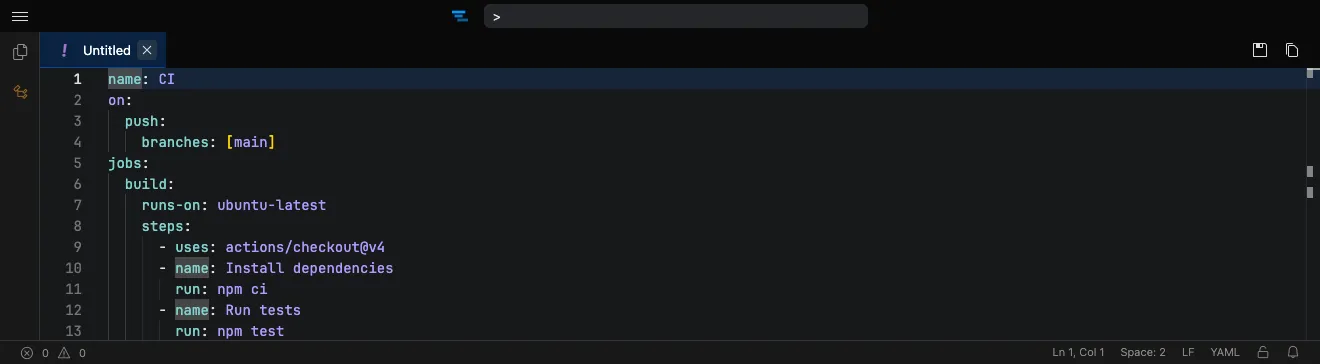
How it works
Section titled “How it works”- Open the editor at tachicode.dev and paste your YAML.
- The language is detected automatically and highlighted.
- Format it with Prettier to fix indentation and styling.
What you can do
Section titled “What you can do”- Syntax highlighting for YAML, powered by Shiki.
- Schema validation & autocomplete from JSON Schema Store — GitHub Actions, docker-compose, Kubernetes, and more, validated automatically.
- Prettier formatting that preserves comments.
- Edit any config — CI, docker-compose, Kubernetes, app settings.
- Private by default — files never leave your browser.
- Works offline once the extension is installed.
Frequently asked questions
Section titled “Frequently asked questions”Is the YAML editor free?
Yes. Tachi Code runs free in your browser at tachicode.dev, with no account required.
Can it format YAML?
Yes — clean up indentation and styling with the built-in Prettier formatter, which preserves your comments.
What kind of YAML is it good for?
Anything — CI workflows, docker-compose, Kubernetes manifests, and application config files.
Does it validate YAML against schemas?
Yes. Tachi Code uses JSON Schema Store, so files like GitHub Actions workflows, docker-compose, and Kubernetes manifests get validation and autocompletion automatically.
Is my file uploaded anywhere?
No. Files stay in your browser — nothing is sent to a server.