
CSV & TSV Preview
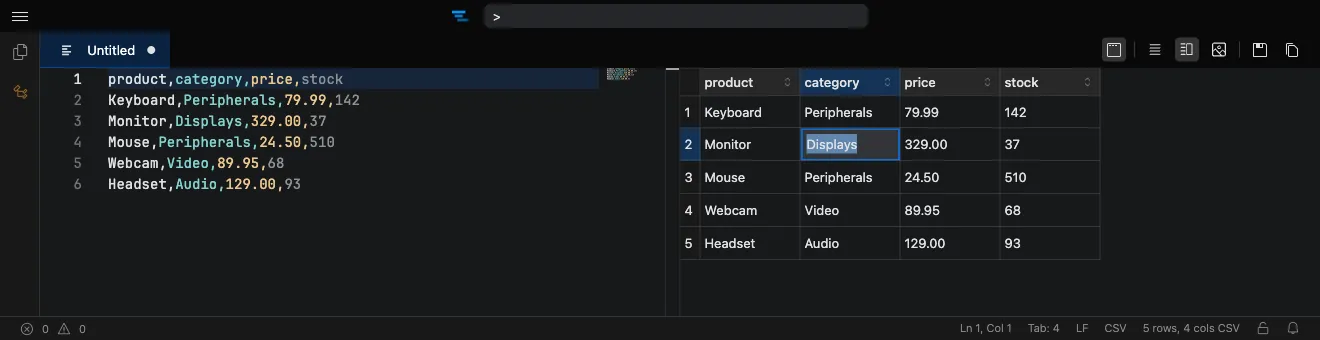
CSV and TSV files render in a spreadsheet-style preview pane alongside the editor, so you can read delimited data as a table instead of raw text.
Inline editing
Section titled “Inline editing”You can edit cells directly in the grid:
- Type to edit — start typing in a selected cell to replace its contents, or double-click to edit in place.
- Paste tabular data — paste rows and columns from your clipboard or another spreadsheet.
- Keyboard navigation — move between cells with the arrow keys, Tab, and Enter.
Edits commit when you move away from a cell and flow back into the underlying file, with full undo/redo support. Because the grid and the text editor share the same model, changes you make in either view stay in sync.
Settings
Section titled “Settings”Two settings control the preview:
- csvPreview.firstRowIsHeader treats the first row as a header row.
- csvPreview.maxFileSize caps the file size (in MB) that will be parsed, so very large files stay responsive.
When a file exceeds the size limit, Tachi Code keeps it open in the editor and skips the grid preview.