
JSON & JSONPath
JSON and JSONC files gain a JSONPath filter pane for drilling into large documents.
Using the filter pane
Section titled “Using the filter pane”Open the pane with JSONPath: Toggle Filter Pane from the Command Palette, or with the Editor and Filter button in the editor’s action bar.
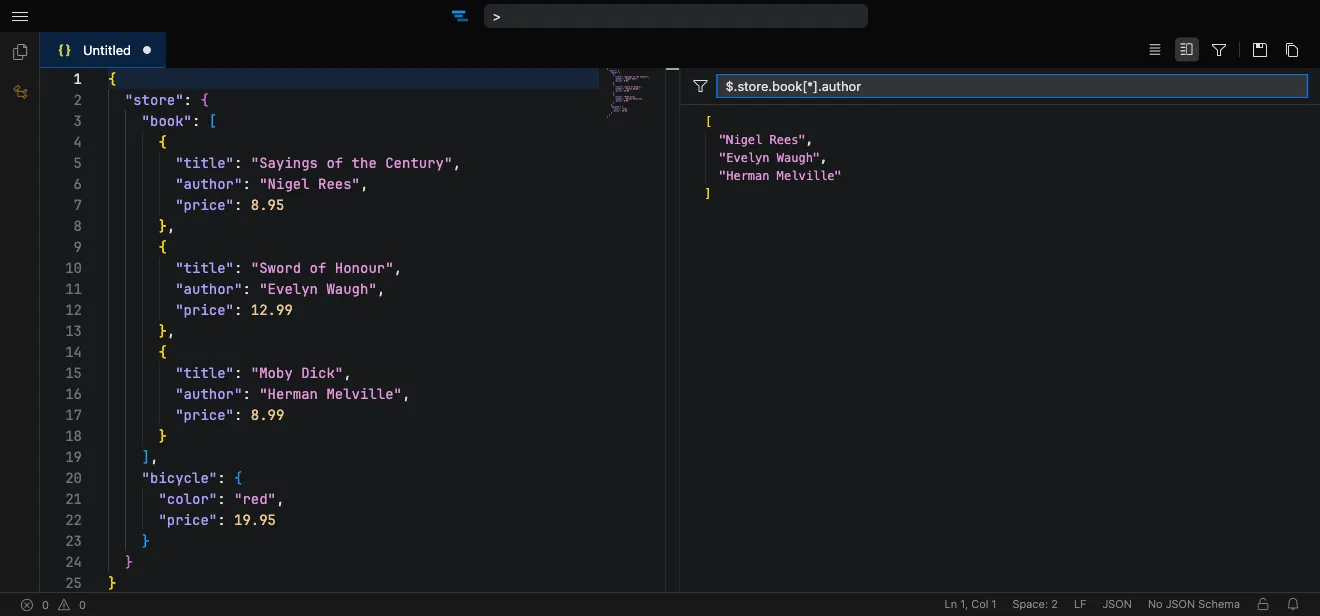
Enter a JSONPath expression in the filter input and the pane shows the matching subset of the document, updating as you refine the expression.
For example, given a document with a store.book array:
$.store.book[*].authorreturns just the authors from every book in the array.
The result is shown as formatted JSON, so you can read or copy the matched values without scrolling through the full source.