
Mermaid Preview
Tachi Code renders Mermaid diagrams in a live preview pane.
Open any .mermaid (or .mmd) file, or write a mermaid code block in a Markdown file, and the diagram renders as you type.
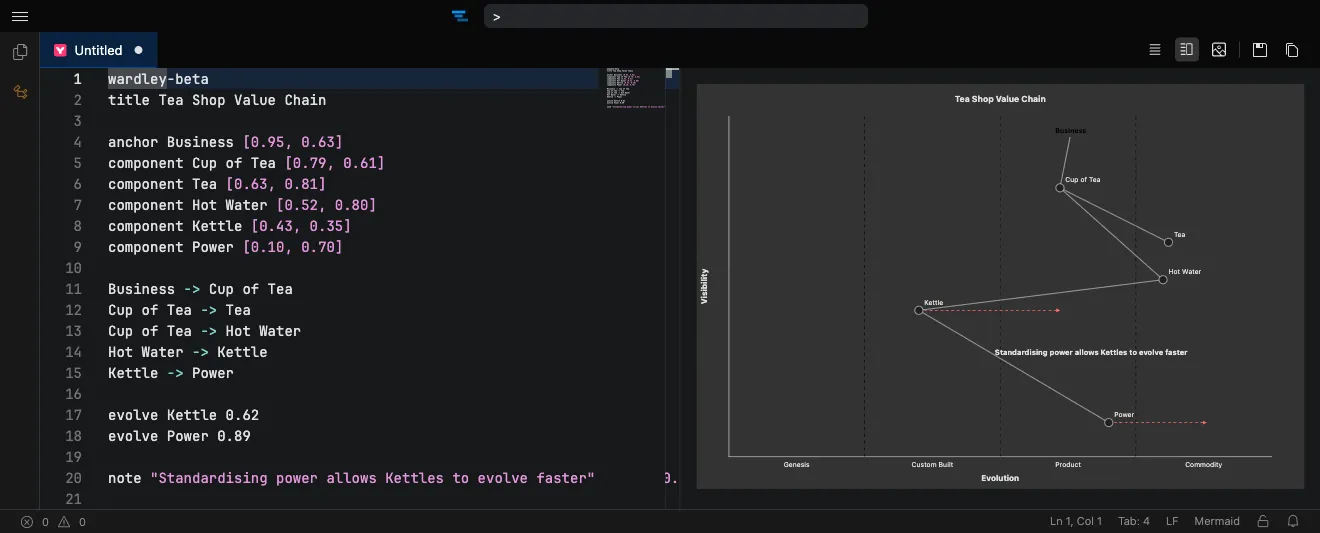
Supported diagram types
Section titled “Supported diagram types”Tachi Code bundles Mermaid 11.15.0 and recognizes its full range of diagram types, including the newest ones — eventmodeling, ishikawa, treeView, venn, and wardley.
Each diagram type is also recognized as its own language for syntax highlighting. See the Languages page for the complete list.
Exporting diagrams
Section titled “Exporting diagrams”Right-click a rendered diagram in the preview to export it as an image:
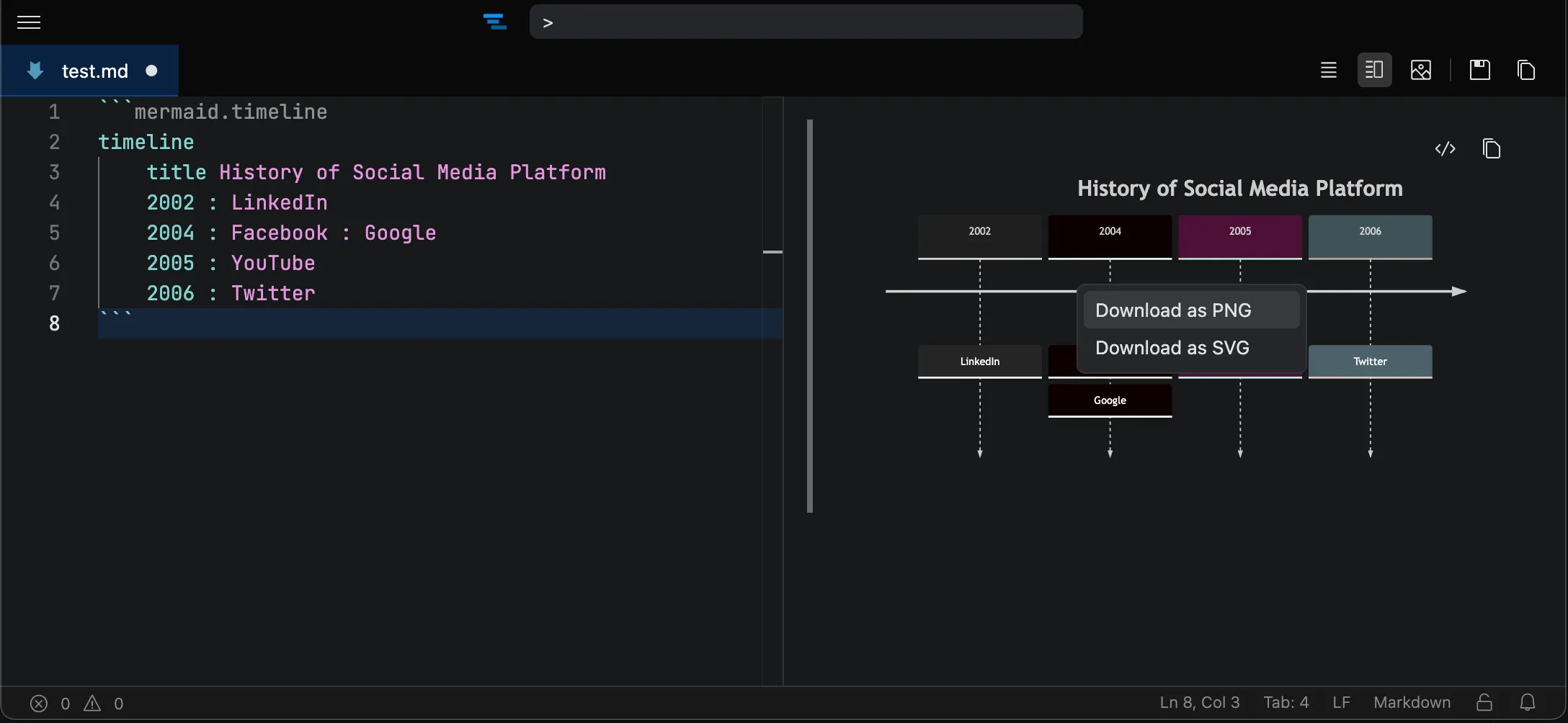
- Download as PNG — saves a raster image of the diagram.
- Download as SVG — saves the diagram as a scalable vector graphic.
Default preview mode
Section titled “Default preview mode”The Mermaid preview defaults to an editor-and-preview split view.
Change the layout used when you first open a Mermaid file with the mermaidPreview.defaultMode setting, which supports Side by Side, Hidden, and Fullscreen modes.
You can also toggle whether the preview updates as you type with mermaidPreview.livePreview .